Corporate environments will always use on prem environments for magnitude of reasons. The cloud is convient for leasing hardware but sometimes companies rely on on prem set ups. EntraID supports Hybrid Identities which allows the data from your on prem to sync upward into the cloud. In entra you’d use Entra Connect for this. From Entra you download the agent which you’d deploy into a server.
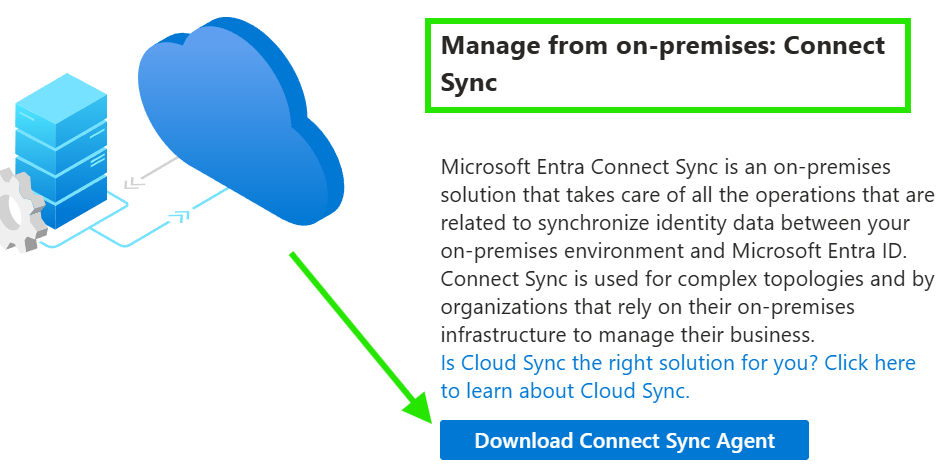
When downloaded this will boot an exe on prem that admins can go through to set up the sync. I did a few things on prem before I did the sync:
- Set up Active Directory so my server becomes a domain
- Set up my servers static IPV4 IP Address so other devices on the same network can join the domain
- Set up an OU where my user’s that I’d sync would be stored
- Downloaded the Entra Connect Sync exe
On the Client machine it’s a Windows 11 run VM that’s soul purpose is to
- Join the server domain so it’s a trusted device
- Run a batch file that acts as a trigger that communicates to the server.
The simple batch when clicked:
- Starts PowerShell,
- Contacts the Domain Controller
- Prompts an admin to sign in (This HR user could be set up as an accepted user to run the automation)
- If correct credentials are given then it runs a task from Task Scheduler.
The above is just an example way that I replicated the HR system.
So when the above is triggered the server does the following:
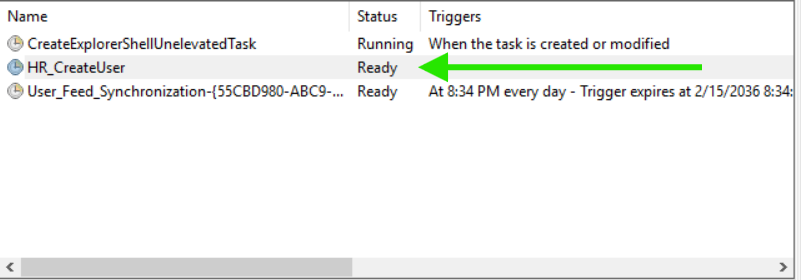
The task is an action that waits to be run. It only runs when triggered. If it runs it then runs the following script
The above makes a user called Oracle User. It then stores the user in the devoted OU that I am using to sync user accounts to EntraID. Doing this replicates how a HR system may automate the active directory account creation process, cutting admin time down and allowing the sync then allows for further Joiner Mover Leaver automation.
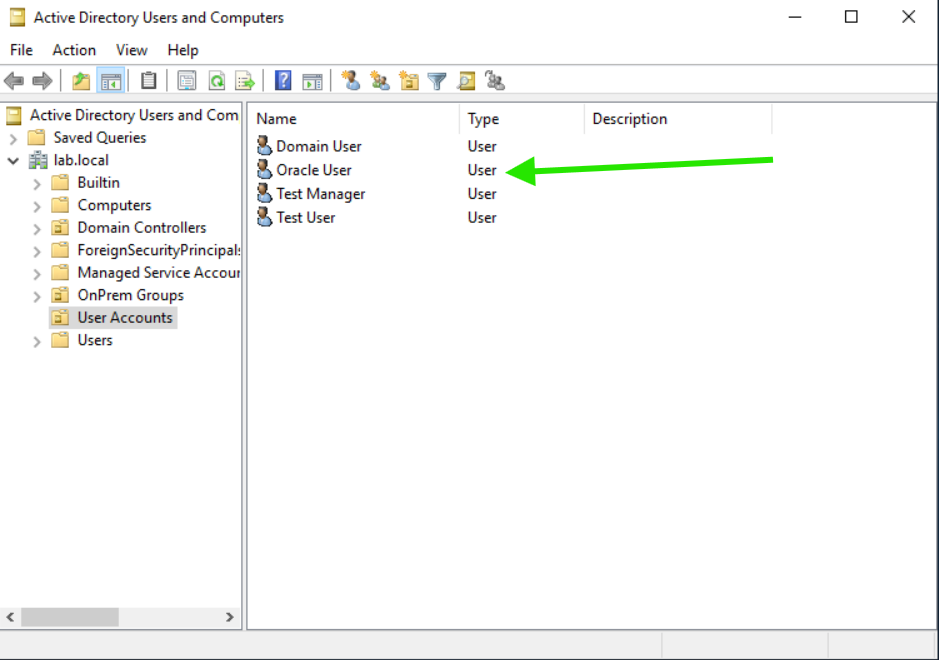
The OU called User’s and OnPrem Groups sync up to the cloud using the EntraID Connect Agent.
The below shows this more graphically
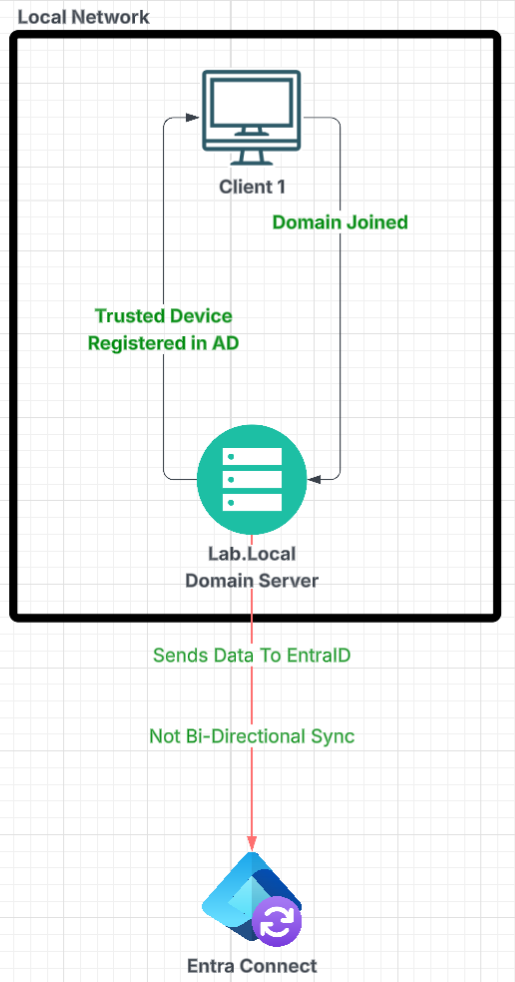
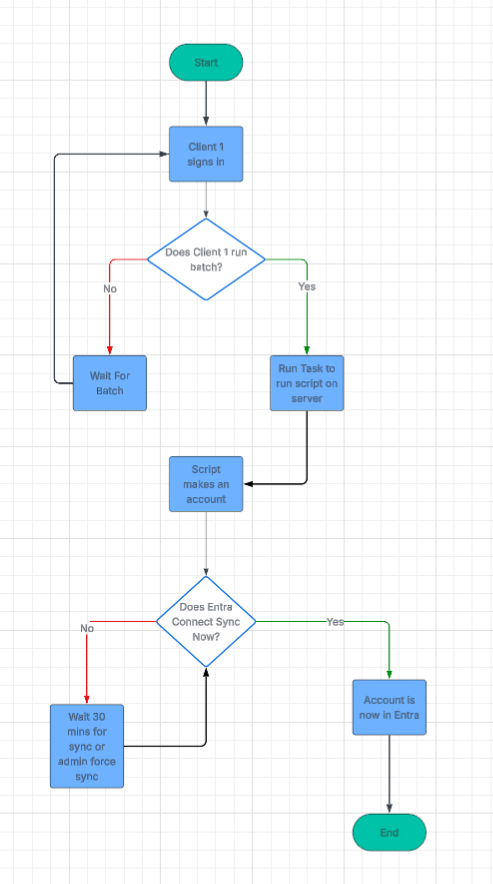
Now inside Entra whenever my On Prem syncs it will replicate the data I sync into the cloud. For instance my On Prem AD user’s are now showing in EntraID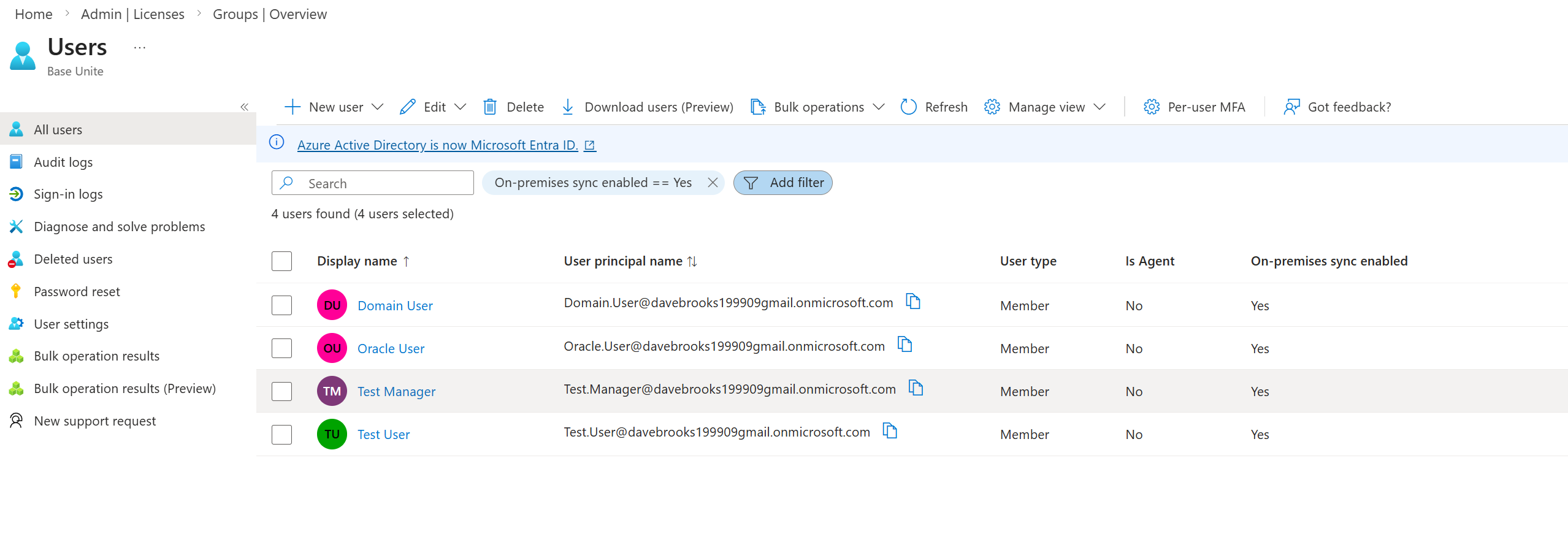
These accounts cannot be edited to much in EntraID as the federation relationship is not Bi-Directional. Meaning the sync goes up but changes in the cloud do not come down. For instance the User “Oracle User” cannot have their properties manages in the cloud 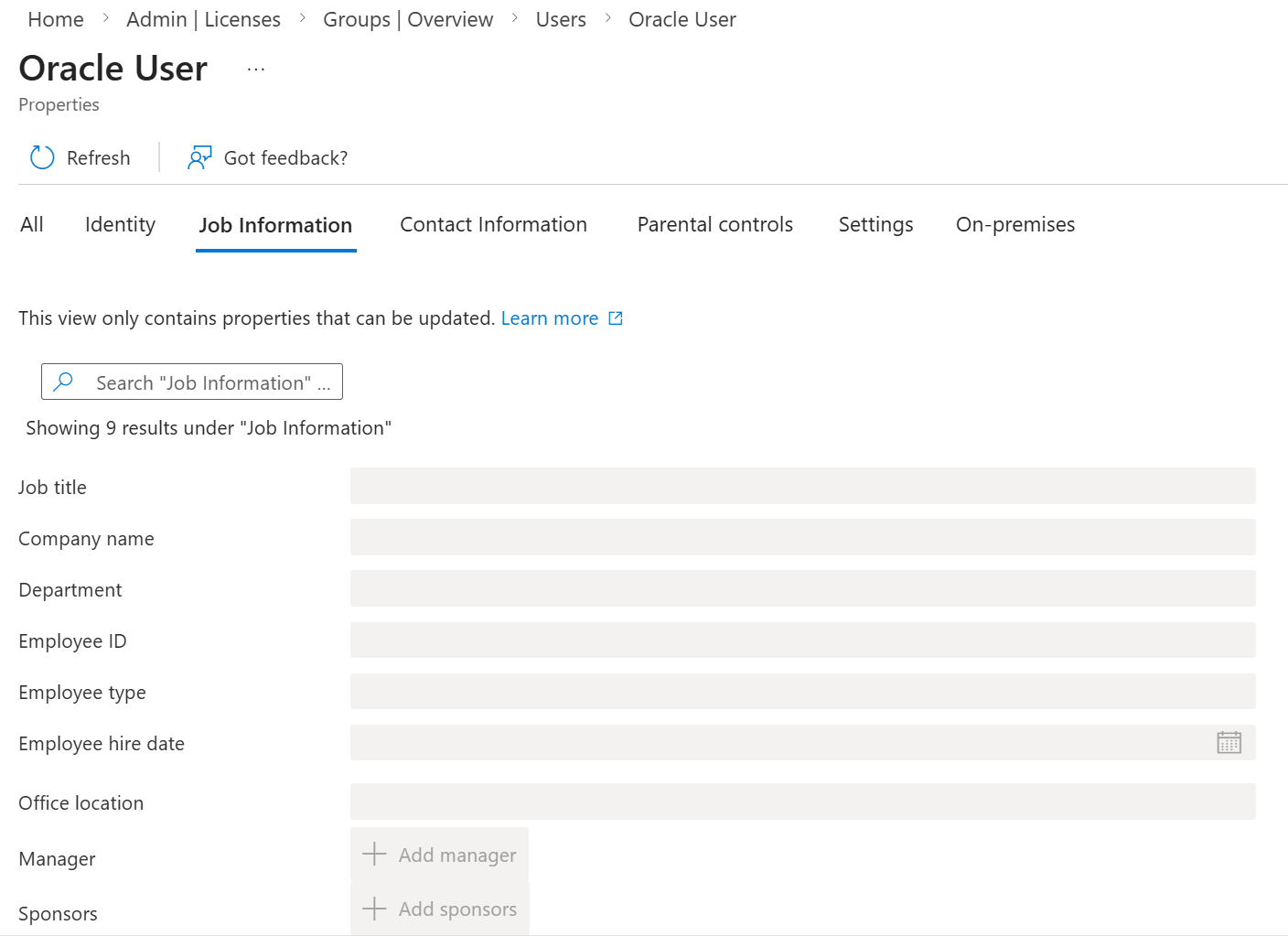
To make these changes I can just edit the user account on prem and then the sync would update the cloud view.
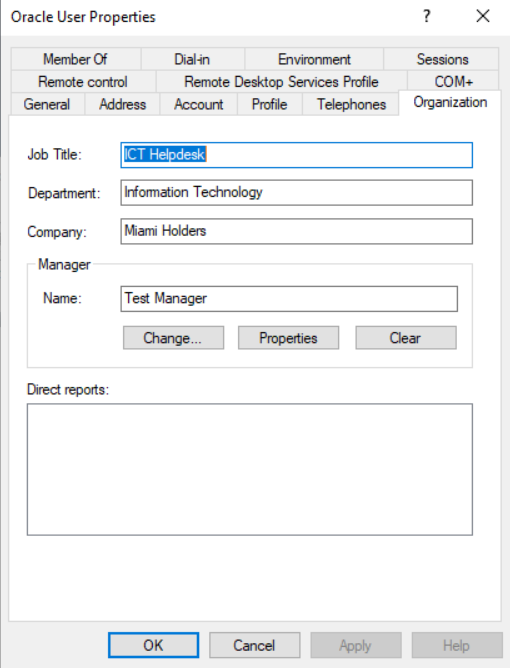
Using Start-ADSyncSyncCycle -PolicyType Delta allows you to force to sync instead of waiting 30 mins.
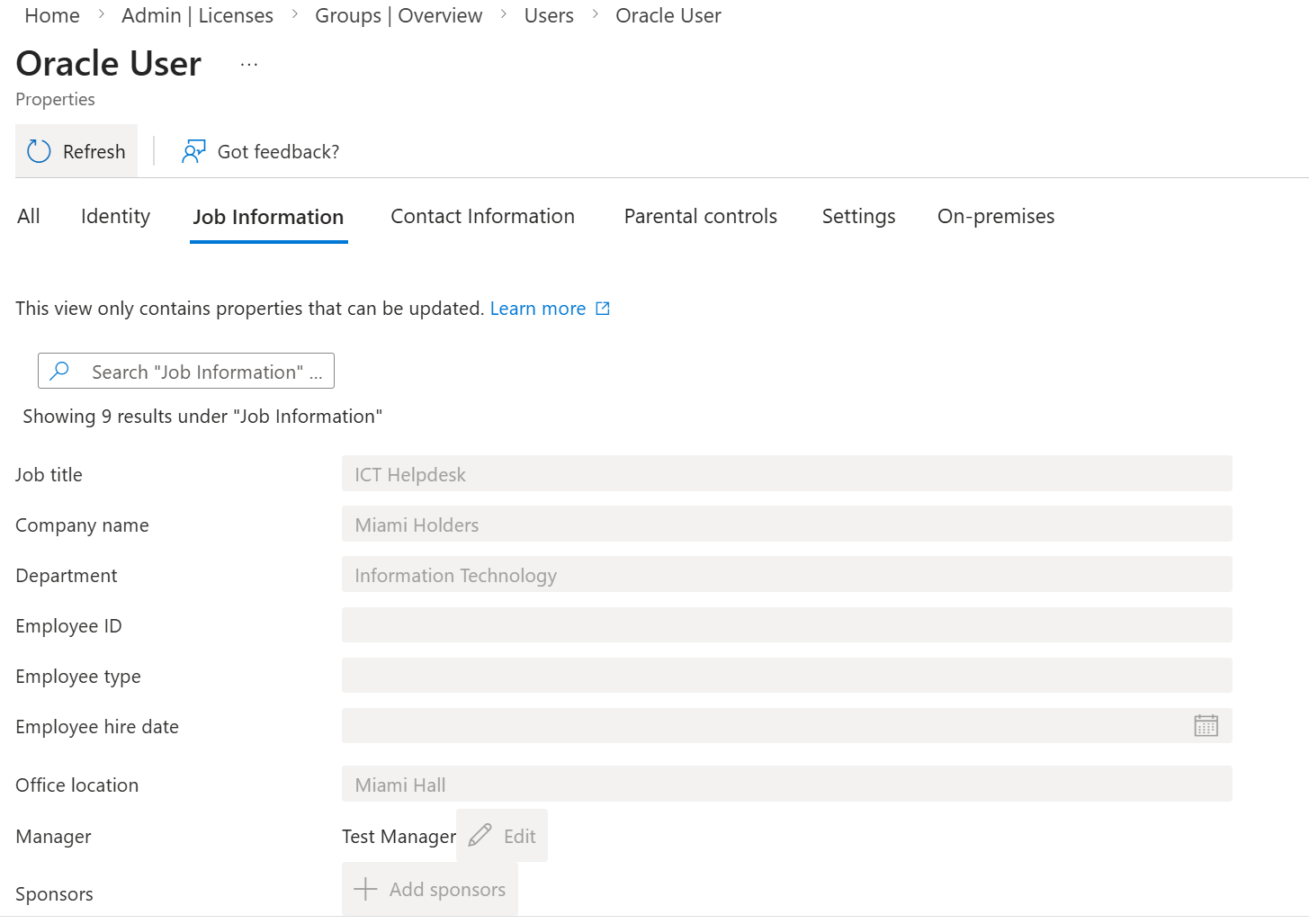
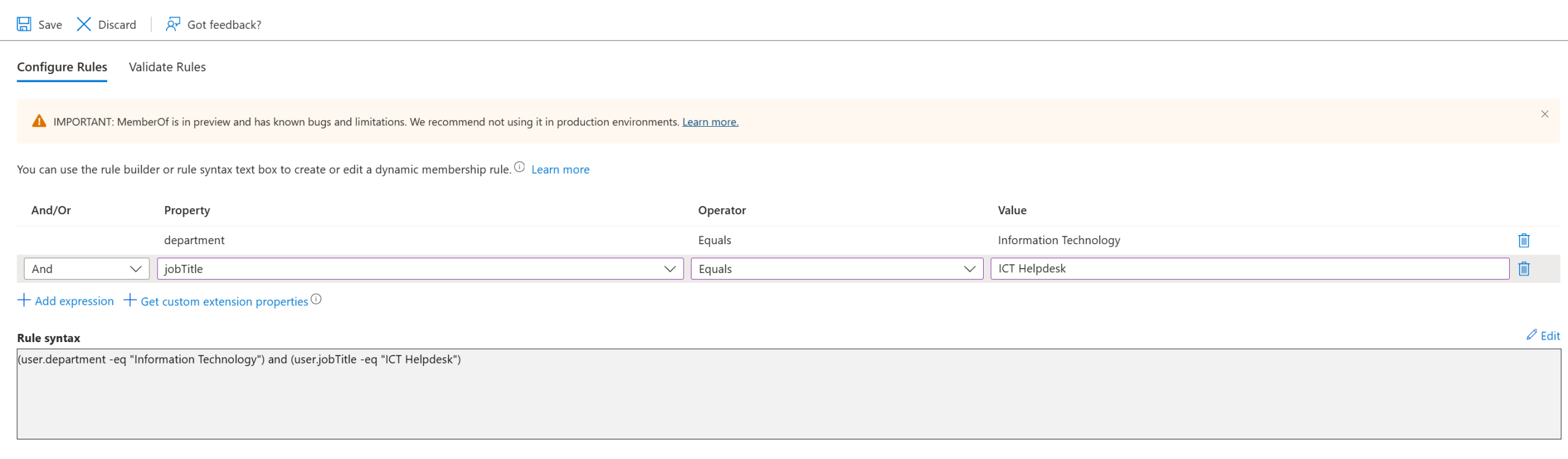
Now my users from on prem are in the cloud and we have a healthy loop HR creates -> On Prem creates -> Entra Syncs. I can further automate the process using dynamic groups. Assigning the group based on user properties. As shown above Hybrid identities can only have properties edited on prem so a HR system that allows you to auto populate these would save on human errors.
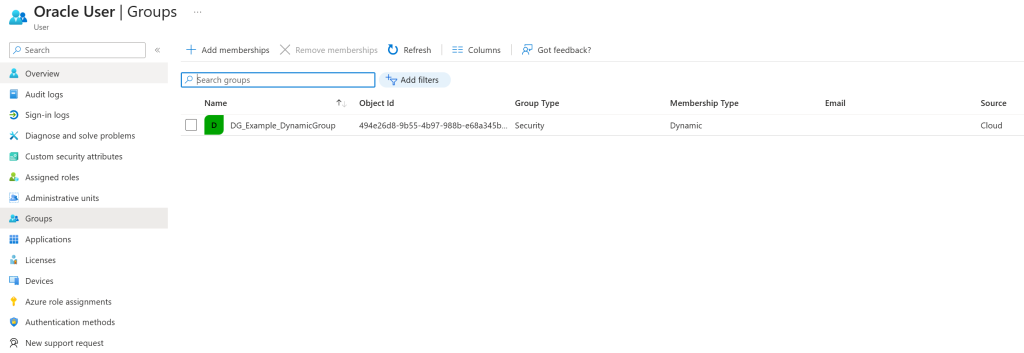
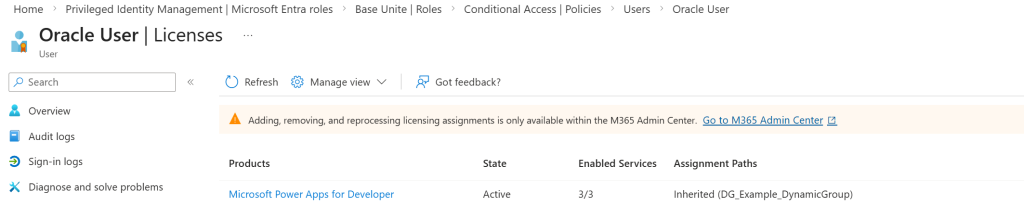
Dynamic groups add a layer of automation to save on manual admin time. It also saves admins knowing what access a joiner should have. So making a Dynamic group that looks for the “Oracle User” Department would then assign the group to the user. I added a license to the group so anyone who is assigned to the group would automatically inherit a license